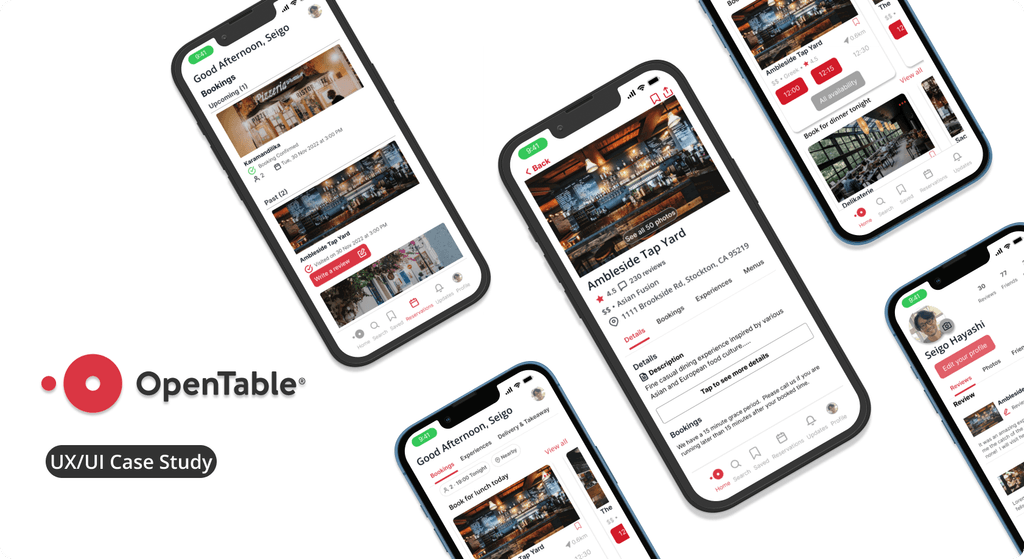
Helping OpenTable improve user's confidence in booking a table
You can search for a restaurant and book a table through the App; however, It is still skeptical if reviews are trustable. With that in mind, I teamed up with another designer to iterate on improving review functions. Our goal : Users can connect with their friends and be confident enough to book a table.
Role
User Research
Product Strategy
UI Design
Interaction Design
Usability Testing
Tools
Figjam
Figma
Slack
Zoom
Maze
Timeline
5 weeks
The Problem
To increase the booking rate, the Open Table determined that the reviewing features needed to be more trustworthy. We discovered that neither users can get to know the other users' details such as characters and preferences nor connect with their friends. That reduces less trustworthiness.
The Solution
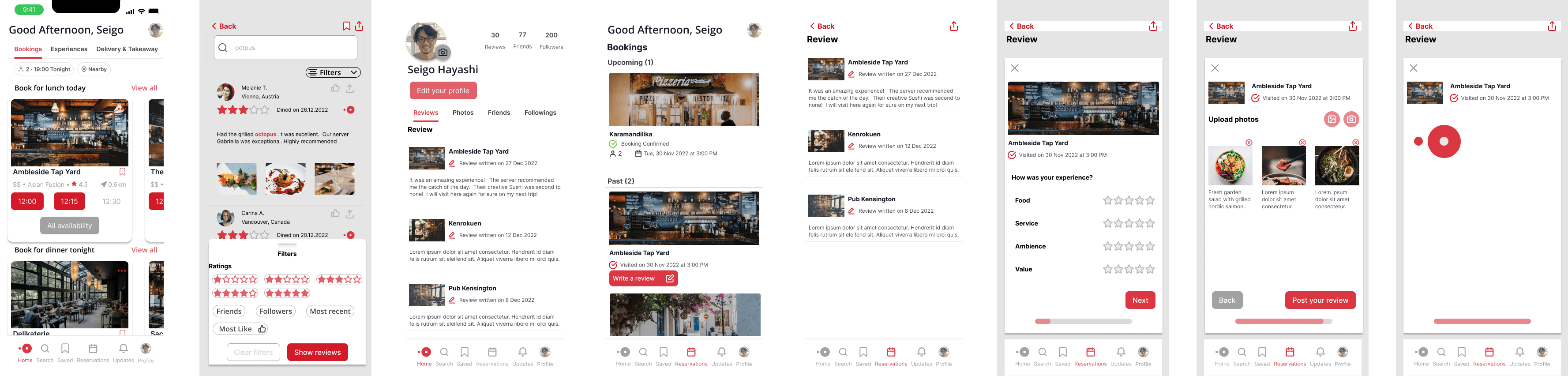
We came up with the solutions by adding features to connect with their friends, follow other users, and improve a more personalized profile page and settings. We think being able to search for a review with keywords, and filtering more options such as based on friends and followers as well as ratings would make it easier for a user to obtain the information.
🧪 Usability Review
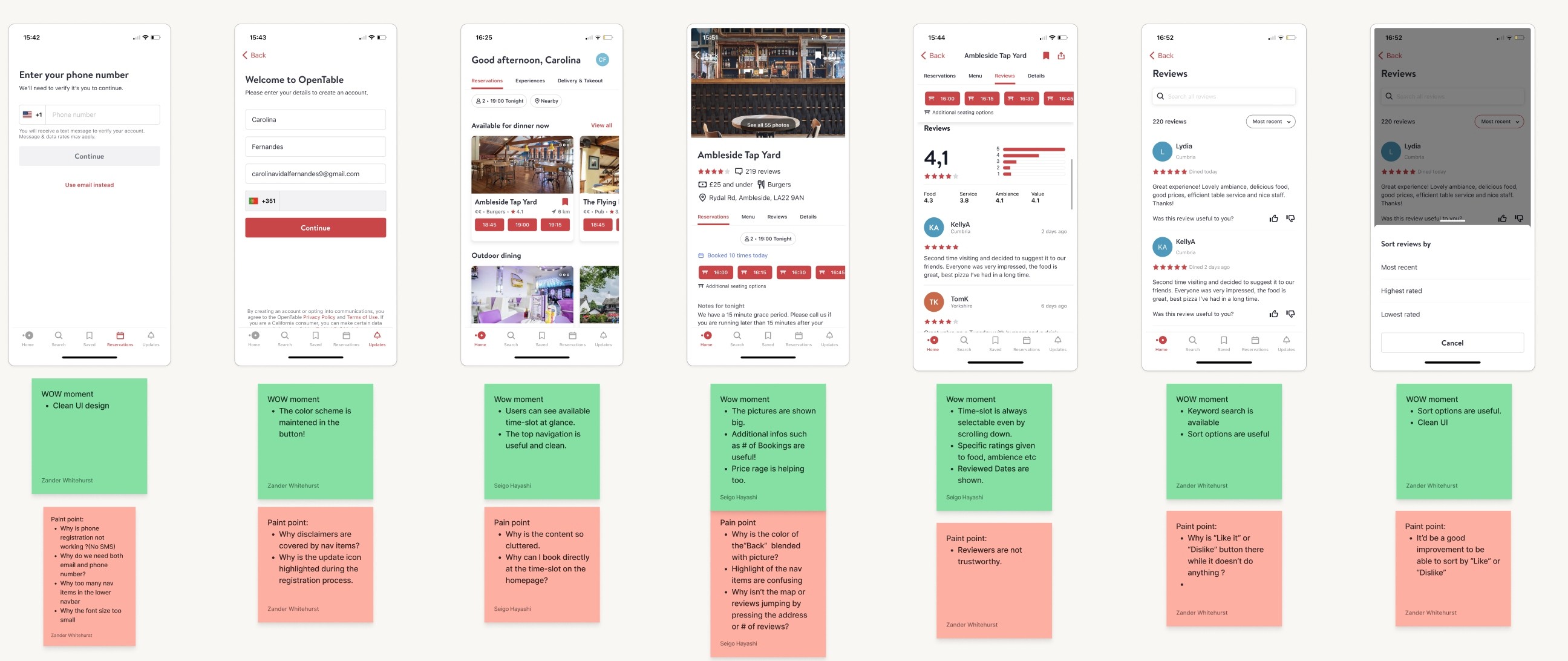
At first, we conducted the usability audit to familiarise ourselves with how the current App flows from the onboarding process, finding restaurants, reviewing, and booking a table. We discovered that there are some good features we shall keep such as easy-booking availabilities and bigger hero photos to attract the users. At the same time, we came up with some areas of improvement such as the effective use of the "Like, Dislike" icons, personalized profile page, photo in an avatar, filter options, showing reviews from friends and followers, and accessibilities.
😩 Business & User frustrations
After conducting the usability audits, we defined the two main pain points.
Primary Frustration
When users read the reviews, these reviews look like someone anonymous due to just the initial name in Avatar and there is no way users can get to know persons who have written the reviews about the restaurants. Currently, the users feel also isolated because of the lack of information about other users overall, and unable to connect with their friends or even follow the other users who post interesting and useful reviews.
Secondary Frustration
We define reviewers are unable to upload the photos and they only can see the photos provided by the restaurants. When users search for reviews and can look at the photos by the reviewers, it brings up more trustworthiness towards the reviews.
📊 Competitor Benchmarking
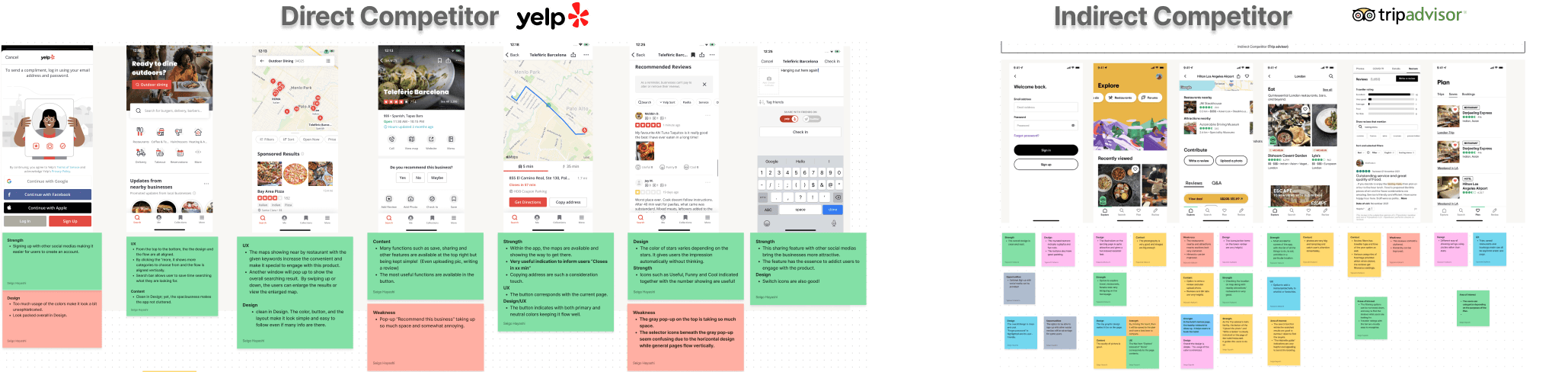
Following identifying the frustrations, we have conducted competitor benchmarking. We decided to pick the biggest competitors for both direct and indirect competitors. Our goal was to learn the insights and metrics from these competitors, which are industry standards, accessibility, trustworthiness, interaction, and personalization.
💡 Ideation
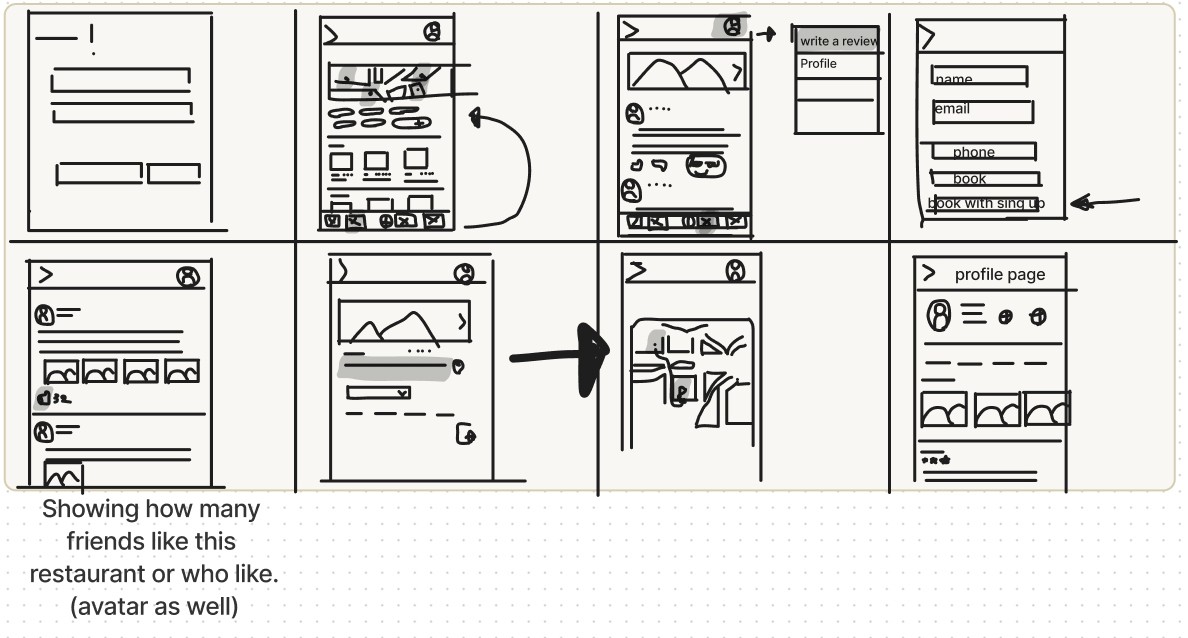
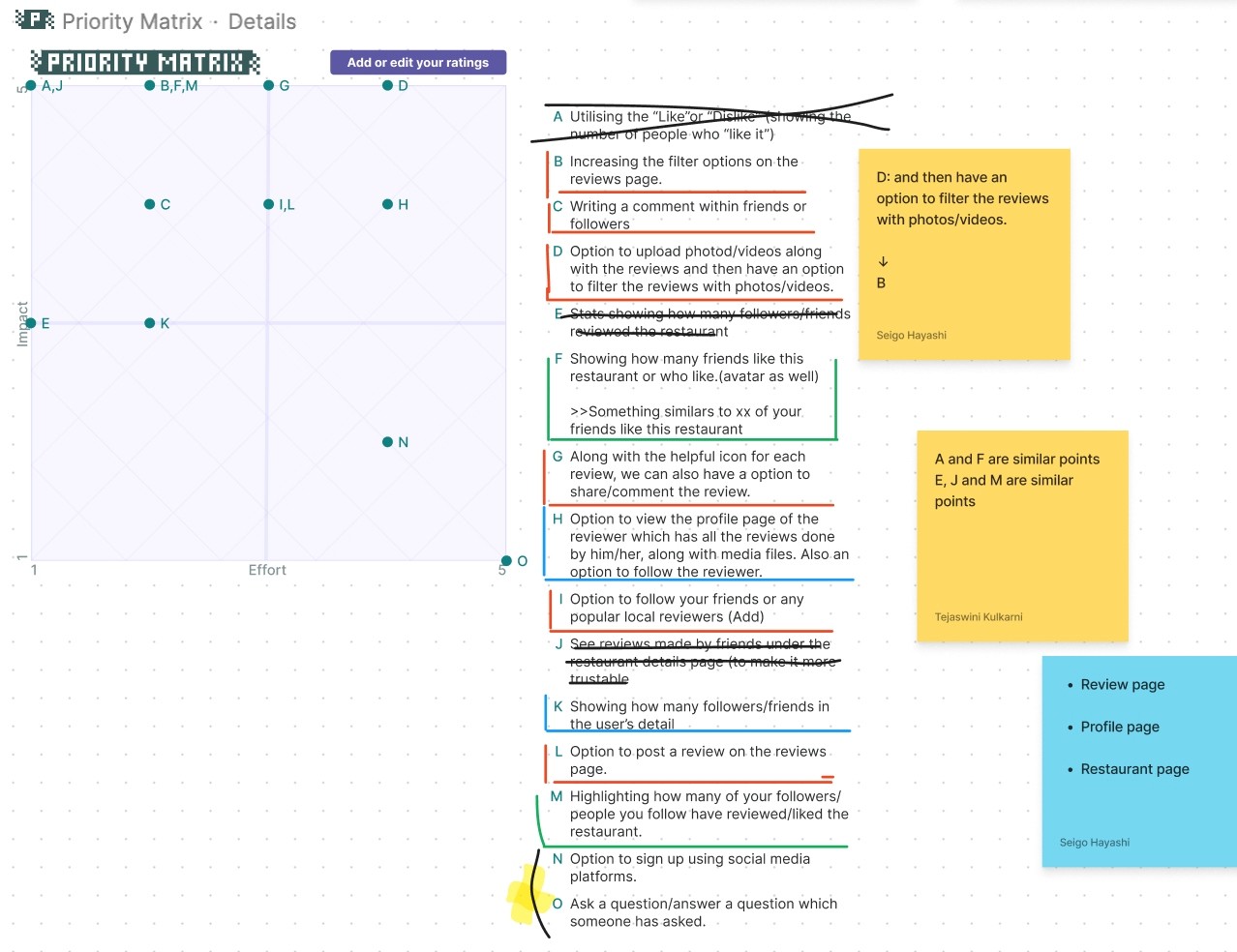
Followed by the mind map, we have done crazy 8s to constrain the time and get as ideas as possible. Then, we listed the ideas individually. We could compare the solutions, and then prioritize these ideas by using the "Priority Matrix" in Figjam.
💡 Key learning and input
While working on this process, we set up a meeting with our teaching assistant. We wanted to understand how much we could implement for this case study. We were questioned about what has to consider when adding new features or improving features. As a product designer, it was a great key learning to take it into consideration that "adding features" costs financially and time. Therefore, we could focus on improving the existing features and minimize adding new features.
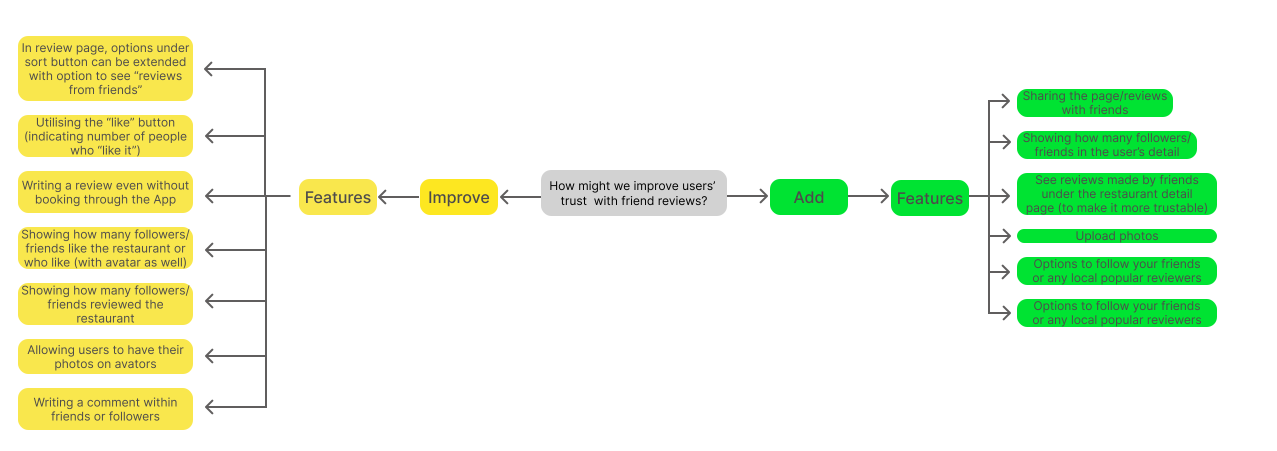
What can we add
👉Adding your friends and following other reviewers.
👉Uploading the photos from reviewers would make them more trustworthy for reviews.
👉Filtering options to see reviews from friends and followers.
What can we improve
🔺Utilising the "Like" button and showing how many people like the reviews and restaurants.
🔺The more personalized and detailed Profile page and real photo in the avatar for more trustworthiness.
🕳 Problem Space
Conducting the usability audit and competitor benchmarking helped us to identify why users feel unconfident in booking a table and some of the area we should improve.
"How Might We improve the users' trusts with friends' review ?"
Having identified the problem users face, we started to ideate by questioning ourselves " "How Might We improve the users' trusts with friends' review ?"
🔍 User Flows
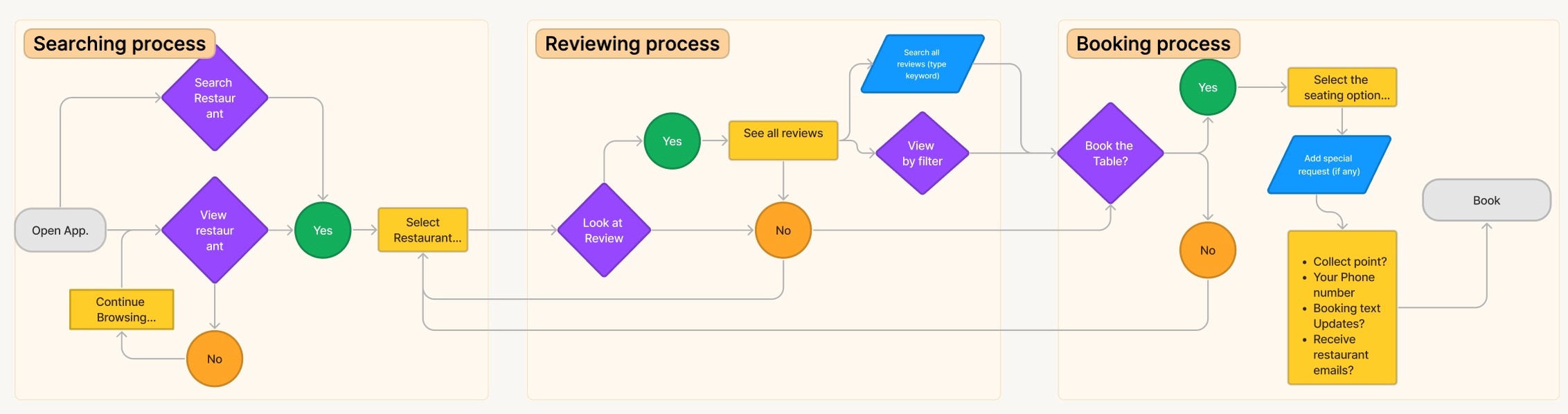
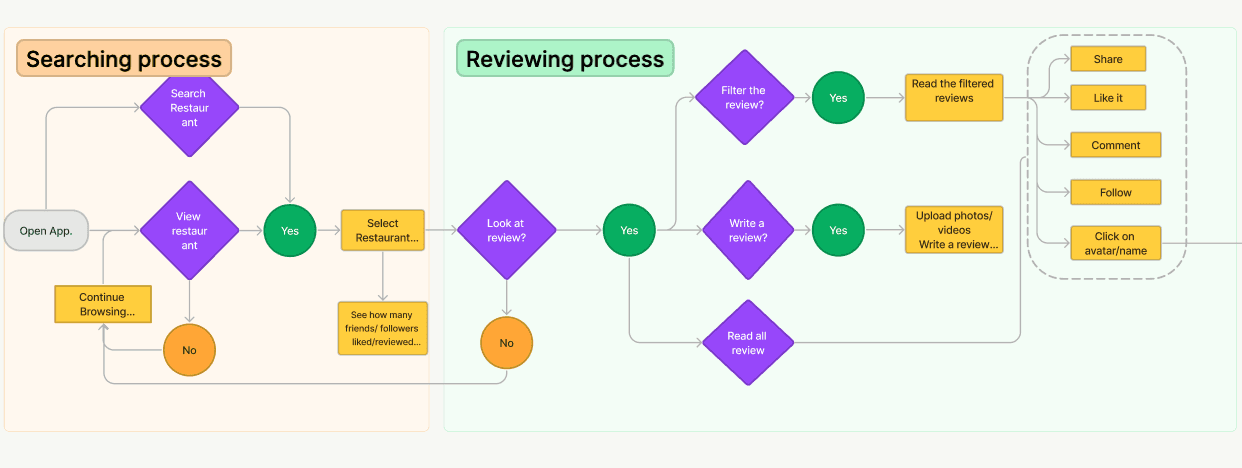
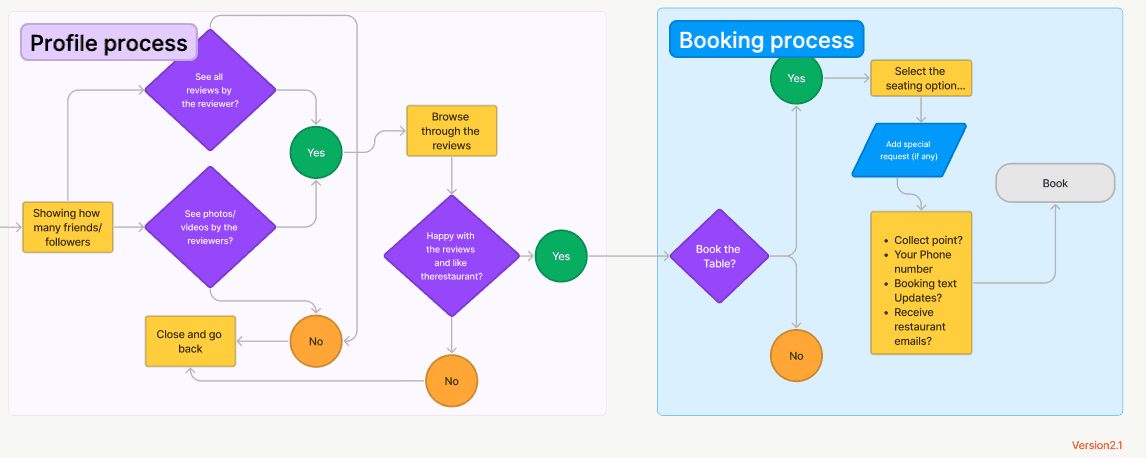
We have created the user flow for both current and improved flows.
This process is to clarify visually how the users take to complete their task.
In order to understand the improved flow easily, we divided into four different parts. They are 1. searching process, 2. reviewing process, 3. profile process and 4. booking process.
Breaking up into each process allow us to stay clear on the flow and focus on sticking the main solutions we came up with at the later stage.
Current flow
Improved flow
📝 Rapid Prototyping
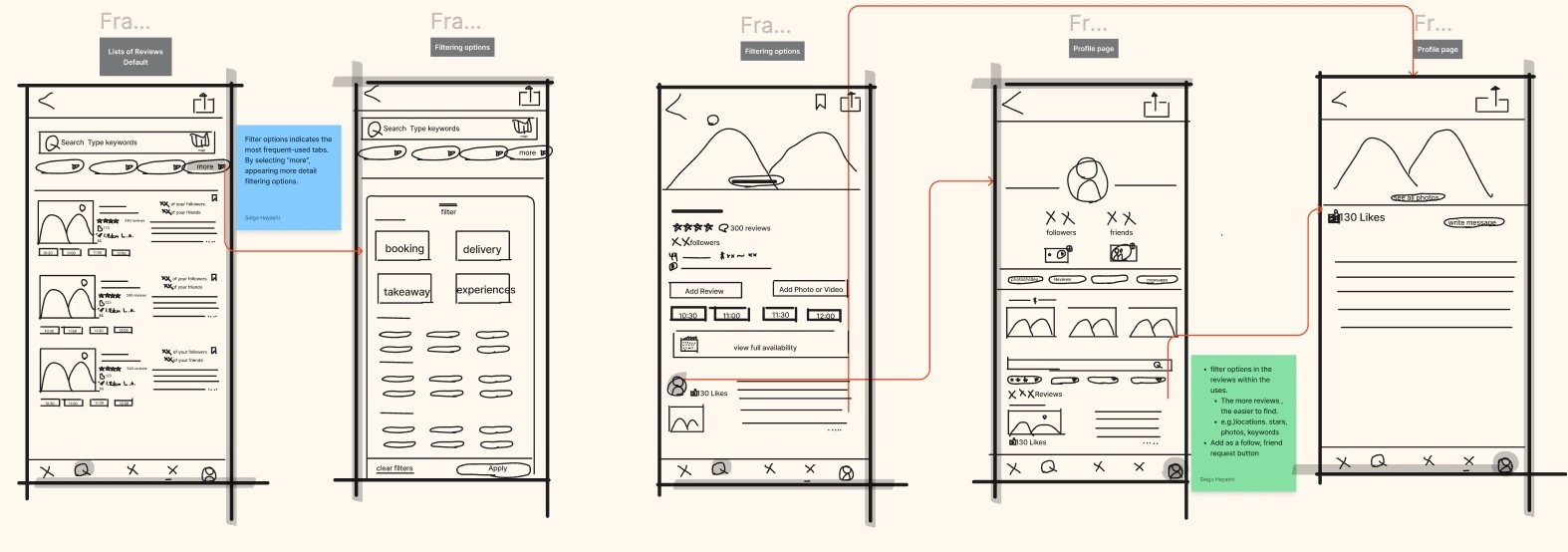
As this was my first time to make it visualized as a prototype, it took a while to convert it into a prototype. After working on rapid prototyping, I could generate UI, functions, and interaction. Also, the ideas got more tangible.
✨ Styles & Components
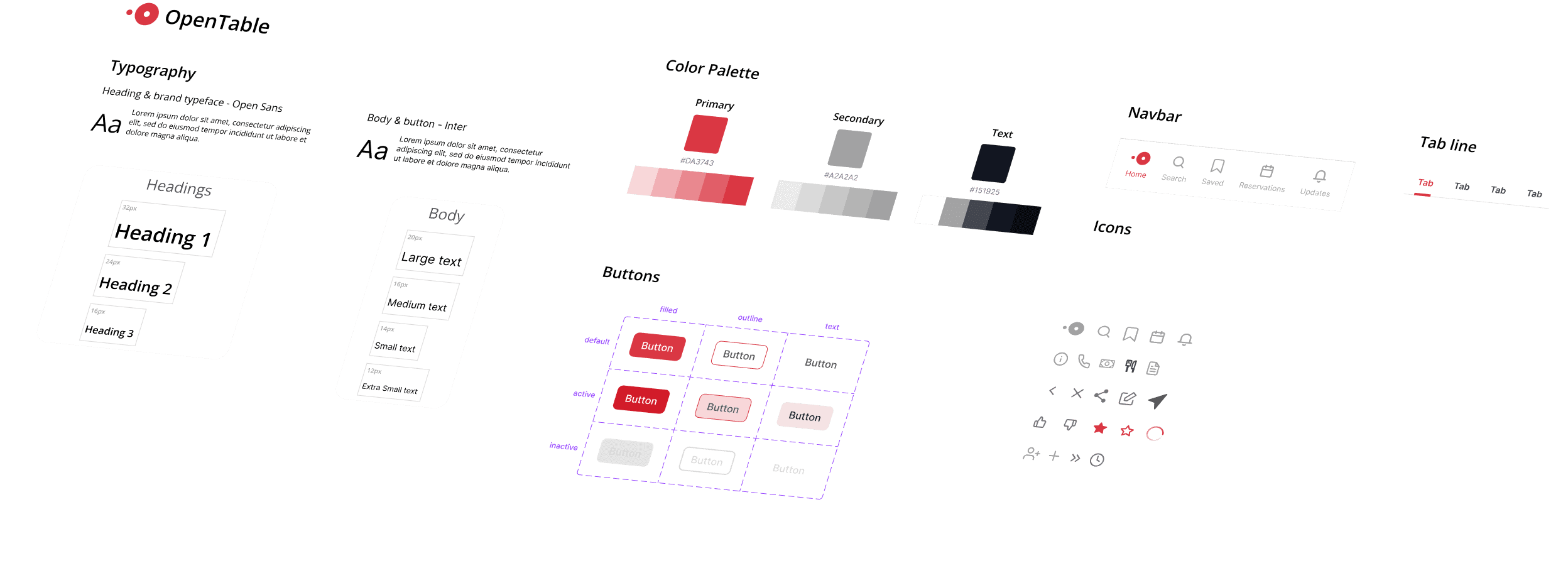
Since OpenTable has set its branding image, we ensured that we stuck with the set of rules in terms of styles.
I made some components to speed up the design, and they also helped to align the designing the App.
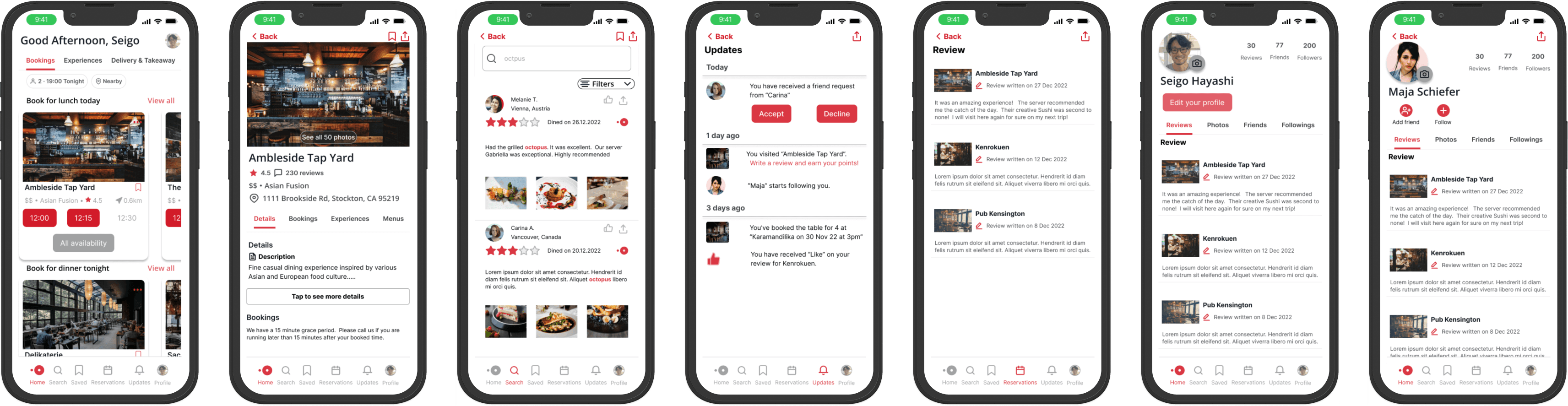
📱 High Fidelity Prototype
My teammate and I created the high fidelity prototype separately. In that way we could see how our solutions could develop in two different scenarios.
To solve the problem spaces, which are to be able to see friends' reviews to book a table confidently, we improved…
a personalized profile page and a photo in avatar.
reviewing features with sorting options.
a feature add friends or follow other users.
To keep the trustable review community, I added an OpenTable icon for those who booked a table through the product and wrote a review.
🏁 Usability Testing
I conducted a moderated usability test remotely via Maze. The time and the cost were limited; however, to collect as many direct usability experiences as possible, I prepared five open-ended questions. In addition, information such as users' behavior, attitude, miss-clicked and error rate were captured. It allowed me to learn how I could implement and improve the users' experiences with the product.
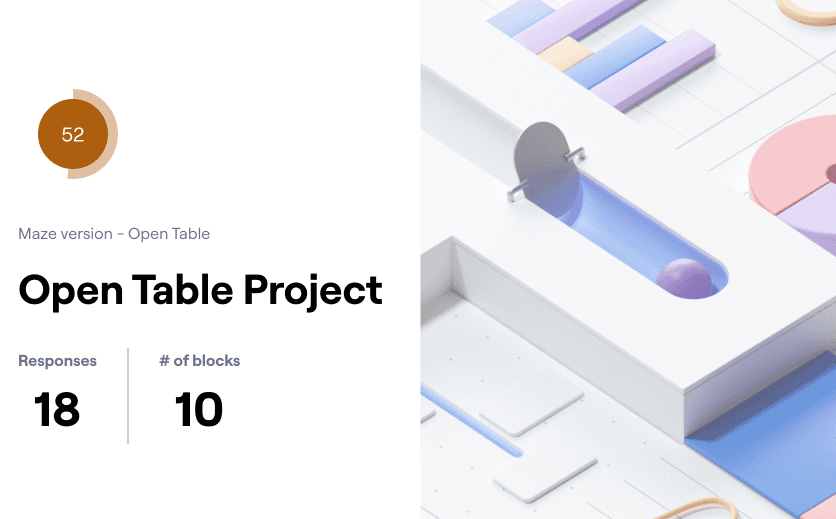
Test outcomes
After testing the prototype, some areas such as filtering search options, accessing the user's profile page, and following and checking other users hits the high scores to complete the tasks. Whereas writing a review still have a room of improvement.
Three key learnings
Conducting the usability test at an early stage helps to identify which areas we need to invest some more time and refine.
The user tends to complete the task how other competitors design the flow such as writing a review. The balance between keeping the industry standard and redesigning the unique way makes users feel hard to complete the task.
Asking for feedback and iterating plays an important role to solve the problems. When facing problems, going backward and actively asking for feedback helps to refine and work productively.
Next steps
Based on the usability testing, we have received the valuable feedback about writing a review. It is due to the different flow from other industry standards; therefore, this has to be redesigned for much easier usability. Since Open Table only allow users to write a review if they have booked and visited the restaurant, this is the next steps and challenges that I could work on improving if I would have time.